PayPal
Get Your BusinessReady To Grow!
Sliner
By Admin UserJanuary 30, 2026 at 2:38 PM GMT+7

How to Register an Amazon Seller Account in 2026: A Step-by-Step Guide for Global Sellers

A step-by-step guide to registering an Amazon Seller account in 2026, covering documents, verification, and setup for fast approval and global selling readiness.

How to Register an Amazon Seller Account in 2026: A Step-by-Step Guide for Global Sellers

Introduction

Selling on Amazon in 2026 is no longer just about creating an account and listing products. It is the first critical step in building a structured international business. As Amazon continues to strengthen its identity verification, payment, and tax compliance requirements, registering your Amazon Seller Central account correctly from the start will determine whether your account is approved quickly, avoids holds or suspensions, and is ready for long-term global scaling.

This guide provides a step-by-step walkthrough on how to register an international Amazon Seller account, covering everything from document preparation and account type selection to Seller Central information setup, identity verification, and final approval. The content is updated based on actual registration practices in 2026 and is suitable for both individual sellers and businesses looking to enter Amazon Global Selling with a professional and compliant approach.
 

Introduction

Selling on Amazon in 2026 is no longer just about creating an account and listing products. It is the first critical step in building a structured international business. As Amazon continues to strengthen its identity verification, payment, and tax compliance requirements, registering your Amazon Seller Central account correctly from the start will determine whether your account is approved quickly, avoids holds or suspensions, and is ready for long-term global scaling.

This guide provides a step-by-step walkthrough on how to register an international Amazon Seller account, covering everything from document preparation and account type selection to Seller Central information setup, identity verification, and final approval. The content is updated based on actual registration practices in 2026 and is suitable for both individual sellers and businesses looking to enter Amazon Global Selling with a professional and compliant approach.
A step by step guide to creating an international selling account on Amazon Seller Central


1. Preparation Before Registering an Amazon Seller Account

To ensure a smooth and successful Amazon Seller account registration, sellers should prepare the following information in advance.

Basic Information

You need a valid and active email address and a mobile phone number to receive OTP verification codes during the registration process.

Business or Individual Information

  • If you register as a business seller, prepare your business registration certificate.

  • If you register as an individual seller, you can use your personal information instead.

Verification Documents

You should prepare a valid government issued ID such as a passport or national ID card.

  • A utility bill or driver’s license may be required to verify your address.

  • A bank account capable of receiving international payments is mandatory.

  • A credit card or international payment card such as Visa or Mastercard is required to pay Amazon registration and monthly fees.

All submitted information must be fully consistent, especially your legal name, address, bank account name, email, and phone number. Any mismatch may lead to account delays or rejection.


2. Start Registering Your Amazon Seller Account

Step 1: Access Amazon Seller Central

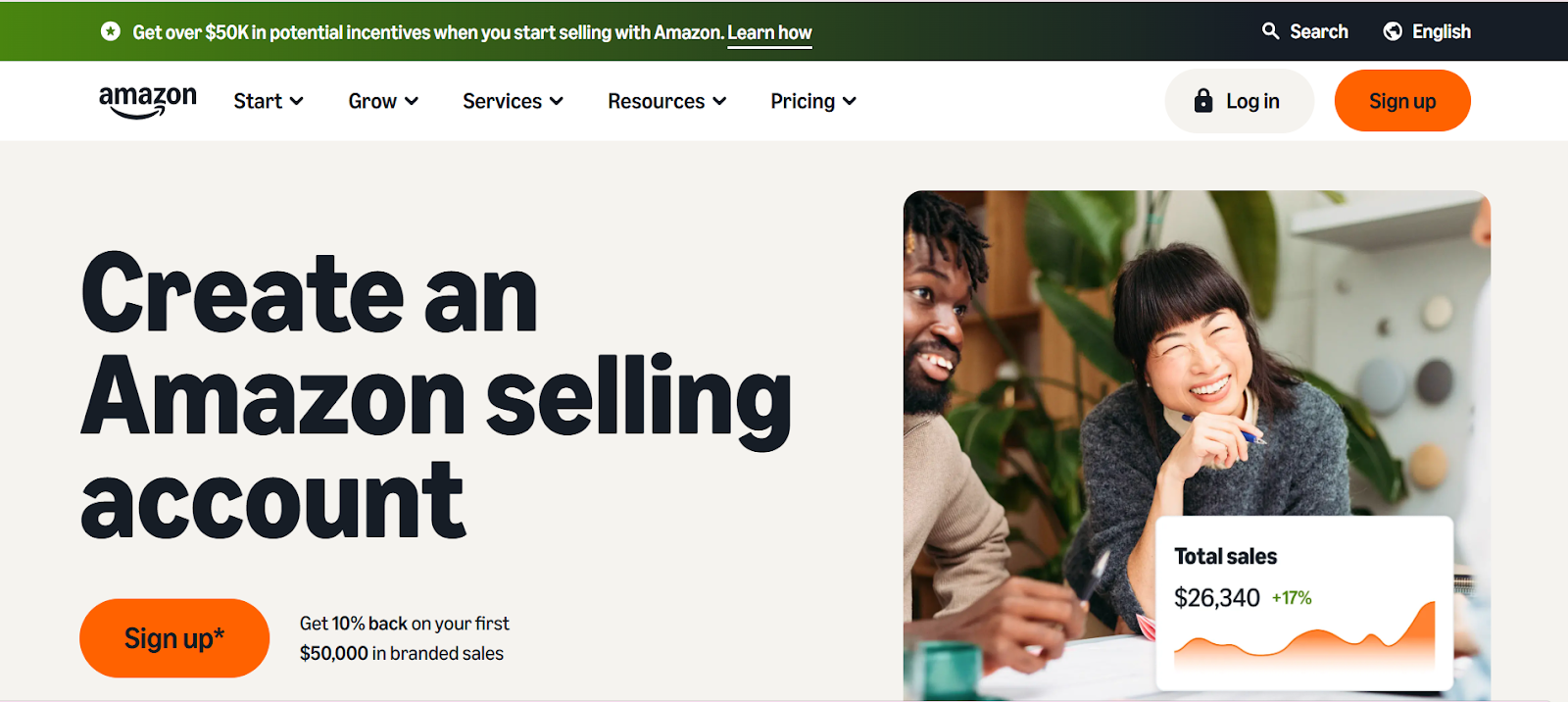
Visit the official Amazon Seller Central website at https://sellercentral.amazon.com

Official Sign up screen of Amazon Cellar Center

Click Register Now to begin the seller account registration process.

Step 2: Choose the Appropriate Account Type

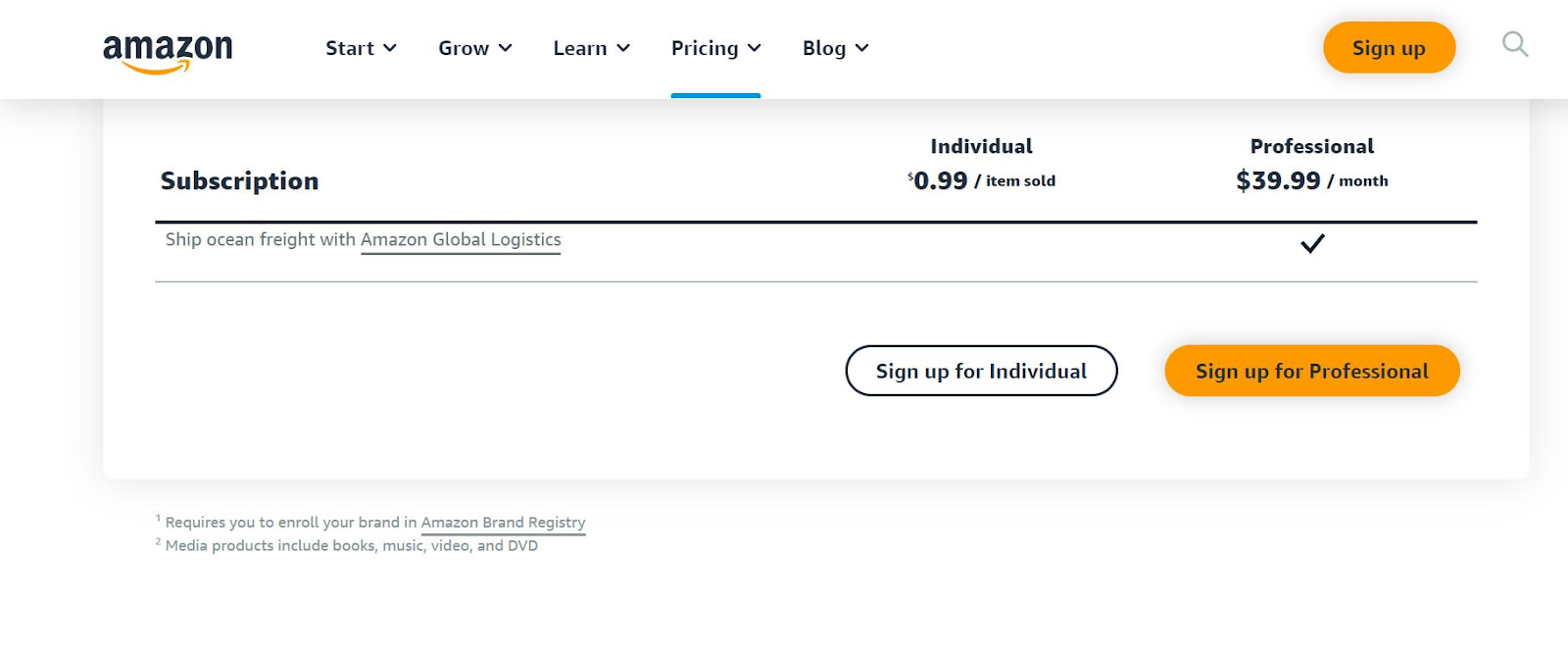
Amazon offers two main seller account types.

  • Individual Account: Suitable for small scale sellers with no monthly subscription fee.

  • Professional Account: Designed for businesses and large scale sellers with a fixed monthly fee and access to advanced selling tools.

Choose the account type that best matches your business strategy before proceeding.

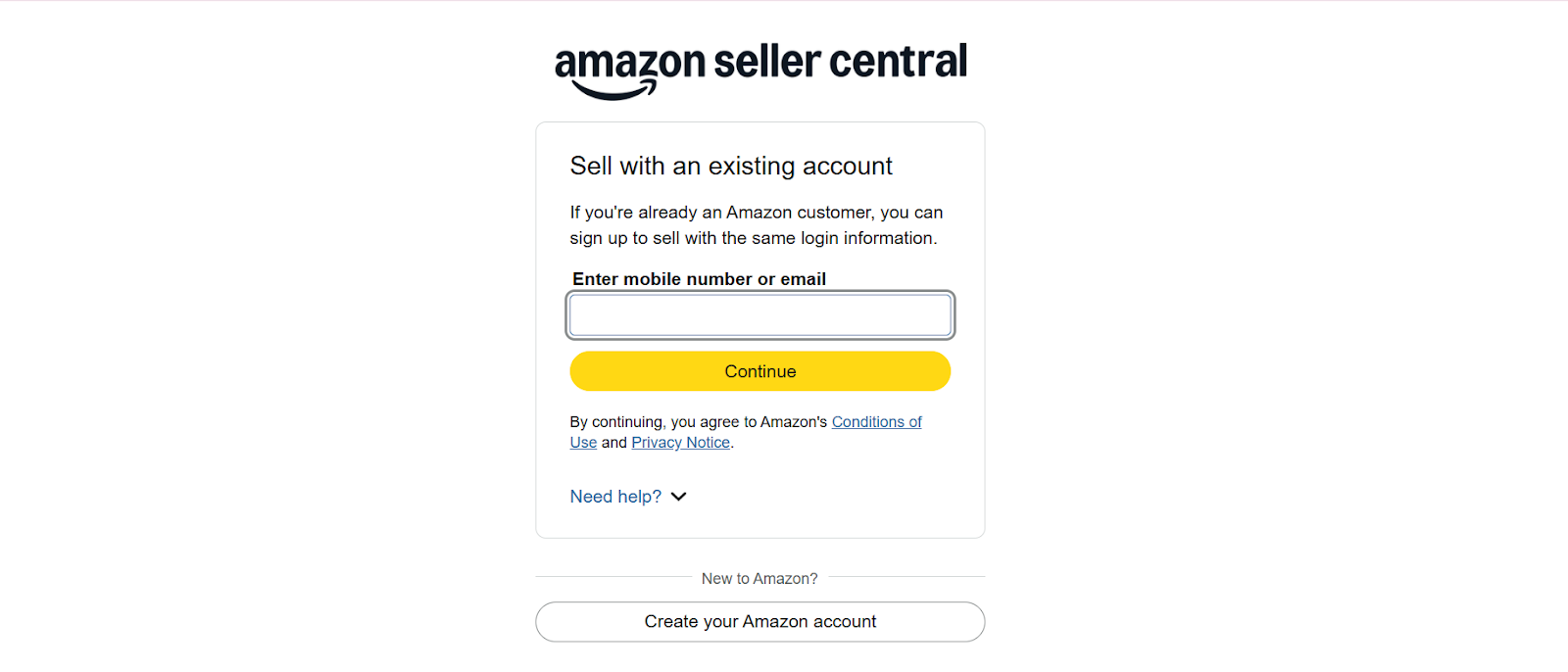
Step 3: Enter Email Address and Create a Password

Enter your email address and set a secure password for your Amazon Seller account.

Amazon will send a verification code to your email. Enter the code to continue.

Step 4: Verify Identity and Phone Number

Amazon will request phone number verification through an OTP code sent via SMS.

In some cases, Amazon may enable two step verification for enhanced security.


3. Complete Seller Information in Seller Central

Business or Individual Details

You will be asked to provide detailed information including

  • Country of registration

  • Legal business name or individual name

  • Registered business address

  • Business type

If you register as a business seller, all details must exactly match your business registration documents.

Seller Contact Information

You must provide information about the account holder or legal representative, including

  • Full name

  • Date of birth

  • Residential or business address

  • Primary phone number and contact email

Amazon uses this information for identity verification, security alerts, and future communication.


4. Payment and Tax Information

Payment Setup

You are required to provide

  • A bank account to receive payouts from Amazon

  • A credit card to pay Amazon subscription and operational fees if using a Professional account

The bank account holder name must match the legal name registered on Amazon. Any discrepancy may result in payment holds or account suspension.

Tax Information Interview

During the registration process, you will complete the Tax Information Interview.
International sellers from Vietnam should select the option indicating that they are not a U.S. person and complete the W8 tax form accordingly.

This step is mandatory to comply with international tax regulations.


5. Identity Verification and Account Approval

After submitting all required information and documents, Amazon will review your application.

This process may include

  • Document verification

  • Address verification

  • Data consistency checks

  • Video verification in certain cases to prevent fraud

The review process typically takes several days to one week for new seller accounts.


6. Start Selling on Amazon After Approval

Once your Amazon Seller Central account is approved, you can

  • Create your first product listings

  • Choose fulfillment methods such as FBA or FBM

  • Launch Amazon Ads campaigns

  • Manage orders, inventory, and sales reports

Amazon Global Selling allows sellers to reach hundreds of millions of customers worldwide through a single platform.

Conclusion

Registering an Amazon Seller account is the first critical step toward expanding your business internationally. While the process is detailed, it can be completed efficiently when all information is prepared correctly and follows Amazon’s official flow.

Contact Sliner today to receive professional support in registering your Amazon Seller account, optimizing your seller profile, reducing approval risks, and accelerating your global expansion on Amazon.


Conclusion

Registering an Amazon Seller account is the first critical step toward expanding your business internationally. While the process is detailed, it can be completed efficiently when all information is prepared correctly and follows Amazon’s official flow.

Contact Sliner today to receive professional support in registering your Amazon Seller account, optimizing your seller profile, reducing approval risks, and accelerating your global expansion on Amazon.


Suggested Topics:AmazonTài khoản AmazonEcommerce2026Thương mại điện tử